
Coconut Wallet
Your Bitcoin View it. Send it
A watch-only wallet to view and manage your Bitcoin.
Two apps. Distinct roles
Exchange transaction details and signatures via QR codes
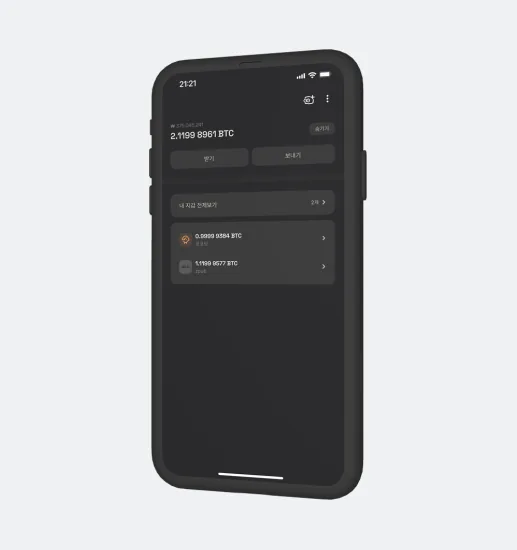
Coconut Wallet
Check balances and history on your everyday phone and prepare a transaction. Receive the signature from Vault, then submit the transaction to the Bitcoin network.
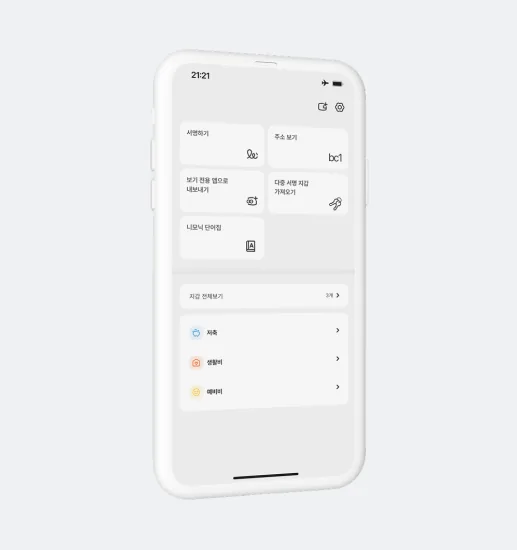
Coconut Vault
Keep private keys on a phone disconnected from networks. Review and sign the transaction prepared by Wallet, then return the result by QR code.
Your everyday watch-only wallet
Separate checking your balance from signing with private keys. Add a watch-only wallet to see addresses and transaction history and prepare a payment. When a signature is needed, use Vault or a supported hardware wallet. Wallet receives the signed transaction by QR and sends it to the network.
Tools to manage your wallet
Send with Wallet and Vault
Create a transaction in Wallet
Enter the recipient, amount and fee, then review the details. Display the unsigned transaction as a QR code.
Scan the QR code with Vault
Scan Wallet’s QR with Vault. Review the recipient, amount and other transaction details again on the offline device.
Sign the transaction in Vault
Sign the reviewed transaction using the private key in Vault. Display the signed result as a QR code.
Scan the signed QR code with Wallet
Scan Vault’s QR with Wallet to import the signed transaction. This transfers the transaction result, not the private key.
Broadcast to the network
Wallet submits the signed transaction to the Bitcoin network. Follow its progress in your transaction history.
New to self-custody? Start with practice
Practice the same transaction flow with test Bitcoin first.